Showing posts with label MFP. Show all posts

Tuesday, October 19, 2010

Sharp MX-B402 "Spec Review"


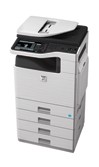
Sharp launched a new A4 b/w laser MFP, the MX-B402 featuring:

o Base MSRP of $4795
o 40ppm top speed
o Will replace the MX-B401
o 50 second warmup time and 8 second first copy out time
o Has 25% lower cost per page to the dealer
o 20,000 page yield for black toner (based on 5% coverage per page)
o 7” color touchscreen LCD display with thumbnail preview
o 600x600dpi
o Optional fax board with PC fax
o Handles up to 110lb. index paper weight
o Comes standard with 100 sheet stack bypass and one 500 sheet paper drawer, and can up to 3 more drawers to make unit floor standing
o Auto duplex & 50 sheet document feeder standard with 35opm scan speed
o Card shot standard
o Built-in print controller:
 Actual maker unknown (most likely Zoran)
 IPv6
 10/100/1000BaseT& USB ports in rear
 USB port in front for print from thumb drive
 Optional card readers
 800MHz processor from Freescale
 512MB RAM (separate 1GB RAM for copier features)
 80GB hard drive
• Optional hard drive data security kit
 PCL & PostScript print drivers standard
• Optional XPS print driver which requires purchase of 1GB RAM option
 imageSEND scans documents to 7 destinations
• USB/network/email
• Scans in color
 Internet fax
 OSA technology for optional embedded applications
o Optional internal 30 sheet stapling finisher

-=Greets from Sandy Hook=-

Tuesday, September 7, 2010

Canon imageCLASS MF9280Cdn and MF9220Cdn "Spec Review"


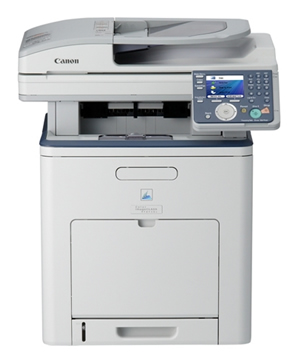
Canon launched two new A4 desktop color laser MFPs, the imageCLASS MF9280Cdn and MF9220Cdn featuring:
o Copy/scan/fax/print standard
o Auto duplex standard
o 50 sheet document feeder
o Comes standard with 250 sheet paper drawer and 100 sheet stack bypass
o Optional 500 sheet paper drawer
o 22ppm color or b/w top speed
o 4 tandem OPC drum design
o 3.5” full color LCD display (not touch screen)
 Easy Scroll Wheel to help select features on the display
o Built-in print controller
 Actual maker unknown
 USB port
 Can print from or scan to a USB thumb drive
 Scan to email with LDAP
 MF9220 offers PCL print driver only
 MF9280 has PCL and PostScript print drivers
 Apparently no XPS print driver available

Need to lease or buy a new multifunctional copier? Call a P4P solutions expert at p4pcafe http://www.p4pcafe.homestead.com/

-=Greetings from Sandy Hook=-

Wednesday, August 18, 2010

Sharp MX-M623 and MX-M753 "Spec Review"


Gathered from Print4Pay Hotel Members from around the world and a few moles in very good places!

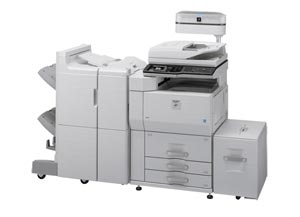
- Sharp gave out more details on its new digital b/w A3 copiers, the MX-M623 and MX-M753:
o Replace the M620 and M700
o Base MSRPs of $19,500 and $23,900
o 62ppm and 75ppm top speeds respectively
o Unlike competitive models in this speed ranges, these models have the “hole-in-the-middle” design, so do not look like true “console” designs that customer prefer in this speed range due to copy volumes
o Code name for this engine is the Sharp “Dragon” engine, which was originally launched in 2004
o Models have the textured light gray plastic design of slower speed Sharp models
o 8.5” full color LCD touch screen control panel
o Uses second generation “microfine” pulverized toner
o Optional retractable keyboard
o Optional common access card (CAC) reader
o OPC drum and developer have yield of 300,000
o Toner yield of 83,000 pages based on 5% per page coverage
o 300K/month maximum duty cycle
o 1200x1200dpi print output, 600x600dpi copier output & 600x600dpi scan resolution
o Comes standard with 3,100 sheet paper supply
 Maximum paper capacity with options of 6,600 sheets
 Letter size LCT for $1425, Tabloid size LCT for $2900
o Document feeder can:
 Hold up to 150 originals with top scan speed of 75opm
 Can scan both sides of original at same time
o Finishing options include:
 $3450 for 50 sheet staple or $6550 for 100 sheet staple
 $5000 for 50 sheet staple and 80 sheet booklet maker
 $715 for punch kit
 $2275 for cover inserter
o Built-in print controller features:
 Actual maker unknown (most likely Zoran)
 Uses 800MHz processor from Freescale (not Intel)
 1GB RAM (can be increased to 2GB)
 80GB hard drive
 $399 for hard drive security kit
 Comes standard only with USB port for “host” based printing, meaning that the customers computer has to do the processing of the print jobs
 Optional onboard processing (included on the “N” models)
 $3400 for PCL print driver
• $745 for PostScript print driver
• $595 for barcode printing
• $625 for XPS print driver (for Microsoft Windows 7)
• All require extra 1GB RAM for $500
 $1095 for network scanning
• color scanning
• scan to email/desktop/FTP/SMB/USB (no scan to WebDAV)
• $1230 for compressed PDFs
 Can scan to or print from a USB thumb drive
 Open Systems Architecture (OSA) allows for optional embedded applications but requires $349 Application Integration Module
o $1295 for analog fax board and $545 for Internet fax
- Canon claims that it new imageRUNNER ADVANCE MFP models are environmentally friendly. That it emits 20% less CO2 when compared to previous models. The machine’s plastic exteriors also are made partly by plant-based materials. (company did not explain why it has not switched to dark plastic instead of off-white plastic which requires bleaching)

-=Greetings from Sandy Hook=-

Tuesday, August 17, 2010

Kyocera FS-3140MFP "Spec Review"


- Kyocera (aka Kyoto Ceramic Company), announced two new A4 b/w MFPs, called the FS-3040MFP and FS-3140MFP offering:
o Actually made by Kyocera
o 42ppm top speed
o Base MSRPs of $2649 and $2979
 Models are identical, except 3140 includes analog fax
o RADF holds up to 50 sheets and has top speed of 42opm b/w and 25opm for color
o Toner yield of 15,000 pages based on 5% coverage per page and sells for $81
o $268 for maintenance kit with yield of 300,000 pages
o ASi (amorphous silicon or ceramic drum)
o 200K/month maximum duty cycle
o 22 second warmup time
 7 second first copy out time
o 100 sheet bypass and 500 sheet drawer standard
 Can add up to three more 500 sheet drawers for $249 each
 Optional envelope feeder
o Auto duplex
o Built-in print controller:
 Made by Peerless
 667MHz IBM PowerPC processor
 256MB RAM (can upgrade to 768MB)
 No hard drive
 10/100BaseT & USB ports
 PCL, PostScript & XPS print drivers standard
 Scan to PC/network/FTP/email (no LDAP)
 No secure print or accounting


P4P Notes: Based on a monthly volume of 5,000 pages per month over 36 months, this device will cost you $2,268 for consumables! Note, that this does NOT include service or parts.  The cost per page is 0.0126, thus if you were to use the maximum duty cycle of 200,000 pages in one month, your cost would be $2,520 for that month!

Do you need a quote from a qualified, experienced representative for a multifunctional copier? If so read our mantra P4PCafe

-=Greetings from Sandy Hook=-

Friday, August 13, 2010

Xerox Phaser 6125 "What's the Total Cost of Operation"


In 31 years of selling laser printers to commercial accounts, well...I've pretty much seen it all. Over those years I've had many clients who did not purchase a laser printer from me, because they thought my printer was too expensive!

What peeves me the most is when I'm trying to communicate (help) the cost per page of a device or the total cost of ownership of the device. Many accounts will opt for the small inexpensive printers where the manufacturer states "with a maximum duty cycle of 40,000 pages per month" (Duty cycle: the maximum possible number of pages that can be printed per month) I ask you, what the heck does Duty Cycle really mean? Does it mean, I can print 40,000 pages each and every month on this device that only cost me $349 for the printer?

Let me show you what happens if you would print 40,000 pages per month on that device. The first printer device we'll look at is the Xerox Phaser 6125 (whoa, a Phaser, I'll need one of these to fight off the Romulans when Kirk and Spock pick me up later tonight).

I have this neat software package that can actually give the cost per page of most printers and multifunctional products and why shouldn't I. I'm the darn expert. Some software programs may vary in the price per page.

So, this really hot (phaser) Xerox Phaser 6125 sells for $349. While it has a neat print speed of 12 pages per minute for color and 18 pages per minute for black. The black toner cartridge cost for this device is $63.36 with a yield of 2,000 pages. Mind you that the 1,600 pages is based on probably 5% coverage of the page. There are three color cartridges, Cyan, and Yellow are $54.63 each and Magenta is $55.31 each. The estimated yield for the color cartridges is 1,000 pages based on 20% coverage.

Now, you may ask what is 20% color coverage of the page, pretty much if you condensed all of the color print area to one area, it means it can't cover more than 20% of the page. Take a trip here to see color page coverage examples

Back to the color cost per page (we're just gonna focus on the color cost per page), divide the cost of all four cartridges by the yield, and then add em up and you have a color cost per page of .1926. Ok, I gonna print me my  maximum volume of 40,000 pages, so, how much is that gonna cost me? It's gonna cost you $7,704 each and every month, and if you maintain that volume for 36 months, you'll be out a whopping $282,529! WHOA, NOW THAT'S A REALLY BIG NUMBER!

How about if you print all your docs with 40% coverage (go back to the page coverage link for an example). Get a load of this number, simple math it's twice the cost. $565,345 for the total cost of operation and that's about .39 cents per page. YIKES, THAT WILL ALMOST GET ME A RIDE INTO SPACE VIA THE RUSSIANS!

Wanna see more? At 100% coverage the Total Cost of Operation runs up to $1,413,217 and a cost per page for just under ONE DOLLAR. DAM, 1.4 MILLION DOLLARS THAT'S ENOUGH TO GET ME ON THE SPACE SHUTTLE FOR A WEEK!

Hey, I understand that most users don't print all their pages at 40%, and I understand (because I'm in the business) that this printer will might choke a few times before it prints 40,000 pages in one month, however how does the end user know this? There's no disclaimers, well maybe it can do 40,000 pages per month, but at 12 pages per minute that would take almost 55 hours to complete. Point is there should be some type of real measuring stick for these types of devices. Like there's no way on Earth or Romulus that this system will print 40,000 color pages per month every month and I don't like this "Print volume uniformly distributed over 30 days" it's in the fine print of the brochure!

In closing, if you're thinking about doing on 40,000 color pages per month, with 20% coverage on the page, opt for the SAVING MONEY, and call a Print4Pay Hotel member to save you some real cash. Here's a neat link (P4P Cafe) to get a quote on a Really Nice MFP so you can get that Really Expensive Ride to Romulus!!

-=Good Selling=-


Enhanced by Zemanta

Tuesday, March 9, 2010

Buy a Multifunctional Copier Printer Scanner? The Time is NOW!

This thread was posted today by a Print4Pay Hotel member. If you're in the market for an Multifunctional Copier, Printer or Scanner, the time to buy or lease is NOW before prices increase again!!

I have noticed there have been a lot of changes in the Value of International Currency vs the USD.

Samsung a year ago was getting a huge currency advantage with the South Korean WON at 1453 vs $1.00. It has now fallen to 1125 as the USD continues to weaken.

The Canadian $1.00 is now slightly above the USD.

$1.00 USD has fallen from 98 Yen to 90 Yen over the last year.

Some MFP vendors will soon be forced to soon raise prices simply because of current unfavorable currency valuations. It is not uncommon for National Copier Manufacturers to strike a deal with their foreign HQ twice a year to fix currency rates for the next six months. That negotiation usually occurs around now with a weak USD and again in Sept.

Here's another:

The Chinese YUAN has only marginally changed in the last 12 months compared to the USD.

I have read on CNBC that this could be as much a result of Chinese Govt manipulating their currency on the world market to be undervalued to encourage exports.


Need a proposal or quote for a new Multifunctional Copier? Click this link and have P4P Specialists prepare a free proposal for you at no charge!

-=Cheers from Sandy Hook=-

Thursday, January 21, 2010

Toshiba announced a new option for its color MFPs


Toshiba announced a new option for its color MFPs, the eBRIDGE Color Profiler Tool featuring:
- Works with ES1000 spectrophotometer ($1299)
- Software that enables the creation of ICC device output profiles
- Target Reader creates characterization data files used to build custom color profiles
- Data Viewer allows end user to view character data in several ways
- Profile Builder initiates construction of the ICC profile
- Profile Viewer assists in verifying the integrity of the ICC profile
- ICC stands for International Color Consortium, a standard in color management
- Base MSRP of $499 for software
- Provides color management, without owning an EFI Fiery

-=Cheers=-

Tuesday, January 5, 2010

Canon U.S.A. Unveils imageCLASS MF5800 Series Black-and-White Laser MFPs for Demanding IT Professionals


LAKE SUCCESS, N.Y.-- Canon U.S.A., Inc., a leader in document imaging and advanced office solutions, today announced two new additions to its award-winning imageCLASS line-up – the imageCLASS MF5850dn and MF5880dn black-and-white laser multifunction printers (MFPs). These MFPs will enable IT administrators to better position small businesses and workgroups for short- and long-term growth, while delivering the exceptional quality and reliability of the imageCLASS line.

“These new imageCLASS models meet the needs of small businesses that need an MFP that allows its users to be more productive, while also enabling administrators to accurately track and control device usage”.“These new imageCLASS models meet the needs of small businesses that need an MFP that allows its users to be more productive, while also enabling administrators to accurately track and control device usage,” said Jim Rosetta, vice president and general manager, Imaging Systems Group, Canon U.S.A. “The imageCLASS MF5800 Series adds advanced Canon technologies for electronic document management and reduced energy consumption in a single, compact device.”

The new MF5800 Series provides IT and system administrators advanced levels of device management to ensure cost-effective yet powerful usage by general staff. Department ID management allows administrators to set up to 100 User IDs and passwords, enabling them to retrieve output numbers and set limits on how much employees can print, copy or scan. An embedded Web server provides an administrator the ability to manage the device remotely through a standard Web browser where they can view and modify settings such as address books, device activity logs and network information. Both models support USB 2.0 and 10/100 Base T Ethernet as standard interfaces, allowing the device to be used by one or shared by many and a wireless option is also available.

Further enhancing the capabilities of the new imageCLASS MF5800 Series, both models come bundled with an assortment of document management tools that help empower employees to be more productive. The fax forwarding mode allows a user to forward incoming fax and internet fax documents to an e-mail address, network folder or another fax numberI. Documents can be scanned directly to a USB flash drive in Canon’s Hi-Compression PDF mode, which significantly reduces scanned file size while maintaining outstanding text and image quality. The MF5880dn adds advanced sending capabilities, allowing users to scan and send documents directly to an e-mail or network folder.

Both new imageCLASS machines offer all-mode auto-duplexing functionality and utilize Canon’s On-Demand SURF (Surface Rapid Fusing) technology, which uses a linear ceramic heater that heats instantly for reduced energy consumption and fast warm-up speeds, resulting in first print and copy pages in approximately six and eight seconds, respectively. The imageCLASS MF5850dn and MF5880dn also boast print speeds of up to 30 pages-per-minuteII.

In addition, a 250-sheet cassette and a 50-sheet multipurpose tray come standard, while an optional 500-sheet cassette is also available. The new MF5800 Series utilizes Canon’s Single Cartridge System, which requires customers to only replace one consumable, ensuring consistent imaging quality and reducing total cost of ownership.

Today’s IT environments are increasingly complex, and it is essential that all the parts work together. The MF5880dn is the first Canon imageCLASS model approved by SAP® AG through the SAP Printer Vendor Program, meaning users will be able to enjoy the functionality of the device on their SAP solution platform. The MF5880dn also features support for PCL (Printer Command Language), while both machines utilize Canon’s proprietary host-based printer language, UFRII-LT (Ultra Fast Rendering), which takes full advantage of a PC’s processing power. IP address filtering and MAC address filtering help prevent access to a company’s network and its confidential data.

The black-and-white imageCLASS MF5850dn and MF5880dn meet the ENERGY STAR guidelines set by the U.S. Environmental Protection Agency (EPA) and Department of Energy (DOE). Canon is a long-time ENERGY STAR partner and is a strong advocate of consumer education of energy-efficient products through its product labeling and environmental programs.

The Canon imageCLASS MF5850dn and MF5880dn will be available through select authorized Canon resellers at a manufacturer’s suggested retail price of $995 and $1,195III, respectively.

Monday, January 4, 2010

Ricoh Aficio MP 2851 and MP 3351 "Spec Review"


Ricoh launched the Aficio MP 2851 and MP 3351 offering:

Couple of interesting notes on this from Print4Pay Hotel Members, seems Ricoh will be keeping the 2550B and the 3350B versions around for bids. There are almost no generational improvements in these outside of App2ME, standard PPDM, and the optional keyboard.

- 28ppm and 33ppm top speed
- Base MSRPs of $7600 and $9250
- A3 laser b/w models handling up to 11”x17 ledger sized paper
- Optional Personal Paperless Document Manager (PPDM)
- Scan to PDF
- Scan to MS Office (Word, Excel or PowerPoint)
- Scan to email/FTP/folder/web folder
- Can scan in color, even though output is b/w only
- Can convert to WAV audio files
- Data from fillable forms can be extracted in a .csv file
- Optional App2Me features:
- Can create custom workflow
- User can create custom control panel interface
- Optional eCopy
- Optional Ricoh GlobalScan NX
- Finishing options include stapling, hole-punching and booklet making
- Full color touch screen control panel
- Optional 50 sheet document feeder (does NOT scan both sides of original at same time)
- Top color scan speed of 50opm for b/w and 29opm for color at 200dpi
- Optional fax board
- Optional controller
- Actual maker unknown (most likely Oak Technologies)
- 533MHz processor
- 10/100BaseT & USB ports standard
- PCL print driver standard, but PostScript is an option
- 768MB RAM (can not upgrade)
- 40GB hard drive
- 600x600dpi
- 22 second warm-up time
- 4.5 second first copy out time
- Comes standard with two 500 sheet paper drawers and a 100 sheet stack bypass
- Can add up to two more 500 sheet drawers, or a 2,000 sheet letter size paper deck
- Drawers and auto duplex up to 28lb. bond paper only
- Bypass can hold up to 42lb. bond paper

-=Cheers=-

Sunday, December 27, 2009

Top Tips for Buying/Leasing a new Multifunctional Copier


Since the GIANTS are losing big time, I opted to put together a short blog on "Top Tips for buying or leasing a new multifunctional copier." Like em, love em or leave em, after 30 years in the biz I'm sure you'll find these helpful!

1. Find your local expert, he or she may have called you or sent a mailer.

2. Ask them how long have they been in their present position.

3. Ask then how long have they been with their present company.

4. Ask for local service and sales references for other firms similar to yours.

5. Visit their website, if it's old and out of date, so are they!!! To give an example I just visited a dealers web site and checked the current products, most of these products are discontinued, no dealer updates. Most likely they handle their service and support like they handle the web site!

6. Ask the salesperson about continuing education, do they take part?

7. Do a credit check on the company you are considering to do business with, you want to do business with a company that is financially fit! Need I say more!

These are all great tips, but what happens if you don't have the time to meet, it's your companies policy to focus on your core. How do you find the Quality Authorized Dealers, Direct Branches or Sales/Consultants that have the knowledge to improve the way you move, print, scan, copy and fax paper?

Take a trip here p4pcafe, I've put together 2,400 experts in the industry that will be able to consult for multifunctional hardware, software and third party solutions! These are the best of the best, I know because they're members of the Print4Pay Hotel which is the only Global web site dedicated to Imaging Industry Professionals. If you're in need of a system fill out our form and a P4P Hotel member will contact you within 24-48 hours!!

MFP Knowledge Quiz!!


Make your own Quiz!

Saturday, December 19, 2009

Leasing Copiers "Who Stole the Cheese!"


Snuff and Scurry, two of my favorite mice.

While going through my emails the other day, I had an email from a client in the South. The email was in reference to "what is really the interest rate for a Fair Market Value lease for a copier."

The email stated that for the life of them they could not figure out the interest rate and was asking for help and advise. Well, asking me to figure out the interest rate is like asking me to get my dog to stop sniffing every pole or fire hydrate he passes. Not going to happen!

What I did enlighten them on is how copier companies figure out the monthly lease payment.

First, there has to be a rate factor that the salesperson gets from either the leasing company or the copier companies management. There are many different rates from many leasing companies and the rate factors change with the term of the lease (12,24,36,39,48,60,63 months), also the dollar amount of the lease would also change the rate factor along with the option at the end of the term (buy out).

There are primarily two different types of leases used:

Fair Market Value: Leasing company gives you the option to purchase for a percentage of the purchase price. This type of lease has the least amount of interest. True lease, tax deductible and write off every month

Dollar Out: You own the equipment at the end of the term for one dollar. This lease will have a higher interest rate than Fair Market Value. This is a finance lease and may not be depreciated like a true Fair Market Value Lease.

What's more popular?

The Fair Market Value lease, basically has four options at the end of the term. A) Ship back to leasing company at your expense at the end of the terms. B) Renew the payments at the end of term for 30 days, 90 days, or longer, check the lease that was signed. C) Trade the equipment back to the dealer and start a new lease, the dealer will then return the system for you. D)Buy the equipment from the leasing company for Fair Market Value.

How is the Cheese Stolen?

So, who is stealing the cheese? Well in this particular email, the customer wanted to find out the interest rate, that I couldn't help with, however I asked them to send me a copy of the quotes and I would tell them how much interest they were paying over the term of the lease. The next day I received five quotes.

Now for you newbies out there, as long as you have the monthly lease amount you can figure out the lease purchase price of the system or at least come close. You take the monthly dollar amount of the system and divide by the rate factor. In this case the customer was quoted $762 per month for a 60 month lease. They were also quoted a purchase price of $26,375 and they had a buy out of $9,142. This made the lease base according to the Direct Branch $35,517.

Now using an average rate factor of .0200 we take the lease price of $762 per month and divide by .0200 which equals $38,100 that would be funded to the Direct Branch for the system that had a purchase price with buyout of $35,517. Well...., we can see that someone has "stolen the cheese". If you now take the purchase price with buyout that was quoted at $35,517 and multiply it by the fair (60 month) rate factor of .0200 (fair for over $20k), the customers payments should have been $710.34. Hence the customer is getting ripped for $52 per month on a 60 month lease, thus paying an additional $3,120 over the term of the lease.

What's a rate factor?

Rate factors are given from the leasing company to the dealer or direct branch. A rate factor of .0200 means that the cost to borrow is $20.00 per thousand dollars. Thus if you wanted to prove the above numbers you would multiply $20.00 x 35.517 which would equal the payment of $710.34.

This was not a cost per copy lease, nor were service and supplies built into the lease, it's basically a game that has been played in the industry for years. Not only are they making money on the hardware but also "padding" the lease for additional profit!

To be fair, there are many different rate factors from different leasing companies, in this example I used an average rate factor. There are lower rates and higher rates that could either increase or decrease the amount to the dealer or direct branch. Most dealers and direct branches are in the average that I quoted.

Don't Blame the Salesperson

Don't blame the salesperson, most of the time the salesperson is not even aware of the average rates, there is a finance department at the dealer or direct branch that "pad" the rates to the sales person and or dictate that they HAVE to use these rates or ELSE! The salesperson is not getting the extra dollars for the unit.

In the instance above, the salesperson probably quoted the right purchase price, however they had to use a "padded rate" which increased the lease price per month. The branch received the additional profit from the lease.

Word to the wise, always when leasing ask for a purchase price for the equipment or the total amount of the order. Do some homework, ask what rate factor they are using and how they arrived at the price per month for the lease. If you think you're paying too much, you probably are.

How can you find fair rate factors? Well, that's probably the hardiest part of the equation. You can always send me an email and I can give you the average for any dollar amount or term. Then you can do the math!

Oh, by the way, there are many dealers and branches that pass along rates without padding the rates, I think there are more of these than those who pad. I also think that this "padding" is much more common with direct operations than dealers. Just my thoughts!!

-=Good Selling=-

Saturday, November 28, 2009

Sharp now shipping MX-M200D, MX-M260 & MX-M310


- Sharp now shipping new low end b/w laser MFPs, the MX-M200D, MX-M260 & MX-M310 offering:

- MX-M200D offers 20ppm top speed
- Replaces AR-M207e
- Based on Pegasus A3 engine design, first launched in 2003
- Base MSRP of $4090
- Comes standard with 40 sheet document feeder
- Unlike other Sharp models, does not offer the textured plastic exterior
- Small, non-touch screen monochrome LCD panel
- Toner yield of 16K based on 5% coverage per page
- Developer and drum yield of 50K
- Comes standard with USB port and 48MB RAM
- Scans in color and b/w, but only TWAIN scan standard
- Optional network printing and scanning for $750 with PCL print driver
- PostScript print driver for $395
- Fax board for $660
- 10MB fax memory for $195
- Comes standard with two 250 sheet paper drawers and 100 sheet stack bypass
- Auto duplex standard
- Additional 250 sheet drawers are $450 each
- No finishing options
- MX-M260 and MX-M310 offer 26ppm and 31ppm respectively
- Based on Andromeda A3 engine launched in 2003
- Replace the AR-M257 & AR-M317
- Base MSRPs of $5650 and $6995 respectively
- Come standard with USB port and 32MB RAM
- Optional 1GB RAM
- No scanning standard
- Optional print controller for $1195
- PCL print driver
- PostScript print driver for $395
- 300MHz processor
- 64MB RAM (can upgrade to 320MB)
- $395 for data security kit
- No hard drive option for spooling or storage
- Network scanning is additional $1095
- Scan to email/FTP/desktop in b/w only
- Application Integration Module allows end users to enter data at control panel for their scans for $349
- Fax board is $1195
- No second fax line option
- Toner yield of 25K based on 5% coverage per page
- Developer and drum yields of 75K
- Come standard with two 250 sheet paper drawers and 100 sheet stack bypass
- 8.1” monochrome LCD touch screen
- 100 sheet document feeder with top scan speed of 39opm
- Can add two 500 sheet drawers for $795
- Optional internal stapling finisher for $1795

-=Cheers=-

Friday, November 20, 2009

Samsung announces premier color multifunction printer for high speed offices

19 November, 2009


Samsung Electronics America Inc., a subsidiary of Samsung Electronics Corporation, hasannounced its premier color laser multifunction printer (MFP), the MultiXpress CLX-8540ND. Having an MSRP of $USD 8,249.00, the CLX-8540ND is currently offered by Samsung's valued network of Service Dealers and OA Distributors.
"The CLX-8540ND is our flagship hybrid printer designed as a printer-copier solution for workgroups in large corporate environments and for copy-intensive small-to-mid size businesses," said Doug Albregts, vice president, Information Technology Division, Samsung Electronics America Inc. "Along with being one of the fastest digital color printers on the market, the CLX-8540ND also bridges the gap between Letter/Legal verses Ledger printers by including advanced printer and copier features usually only found on larger machines. What we've done is simplify the selection process for IT managers who are looking for a truly multifunctional printer."

The CLX-8540ND is one of the fastest color MFPs on the market capable of replacing or complementing bulky Ledger MFPs. The high volume of printing and copying required by large workgroups, such as government offices or university centers, are easily met by the CLX-8540ND's quick startup time, up to 40 pages per minute (PPM) output capability and up to a 100,000 sheet monthly duty cycle. To process multiple jobs, the CLX-8540ND is equipped with an 800 MHz processor, 1GB of RAM and a 160GB hard drive. The end result is print jobs and high resolution scans are processed, stored and handled quickly and easily. The optional paper tray capacity, expandable to 2,720 sheets, allows the CLX-8540ND to run large print jobs without interruption.

The CLX-8540ND's Real-Time Calibration Technology creates consistently clear, sharp color prints at 9,600 x 600 dpi. Samsung's Easy Color Manager software allows the convenience of on-screen adjustment of color balance, brightness, contrast and saturation. The Auto Color Detection feature alleviates the hassle of differentiating between color and black & white prints and automatically adjusts toner usage, saving money. Documents, either letter or legal, can also be scanned at an enhanced up to 4,800 x 4,800 dpi and then saved, printed, e-mailed or faxed to any networked location.

The CLX-8540ND offers management tools to help minimize operating and maintenance costs. The modular design allows for upgraded accessories, such as a 2-bin finisher, a 4-bin mailbox and a High Capacity Feeder, to be easily installed and, in those rare cases, can be quickly serviced. The Samsung 7" color LCD display user interface is simple to use and can be configured to corporate preferences. For creating company letterhead and commonly used forms on the fly, there are form overlay and watermarking features provided to make it simple and flexible to maintain standardization.

Tuesday, November 3, 2009

Panasonic Launches New MFP "Panasonic DP-MB350"


Panasonic launched a new desktop b/w A4 MFP, called the DP-MB350 offering:

- 35ppm top speed in b/w only
- Can scan in color or b/w up to 9600dpi
- Scans in TIFF, PDF or JPEG formats
- Scan to email/TWAIN/PC/FTP
- Copy/print/scan/fax right out of box (PCL print driver only with 128MB RAM)
- 3.6” full color LCD control panel
- first copy out time of 15 seconds
- 10/100BaseT and USB ports standard
- Provides incoming fax previews
- Junk fax filter
- Fax forward to email, PC or FTP
- 50 sheet document feeder
- Auto duplex standard up to 24lb. bond
- OPC drum cartridge yield of 20,000 pages
- Toner cartridge yield of 8,000 pages based on 5% coverage per page
- 1200x1200dpi printing (interpolated to 2400dpi)
- Comes standard with 520 sheet paper drawer (legal size maximum, up to 44lb. bond)
- Can add second 520 sheet drawer
- Has Quick ID Copy function for copying insurance cards or drivers licenses
- Comes with READiris Pro 7.0 OCR software
- Base MSRP of $1995.00

-=Cheers=-

Monday, October 26, 2009

Xerox WorkCentre 7425, 7428, 7435 "Spec Review"


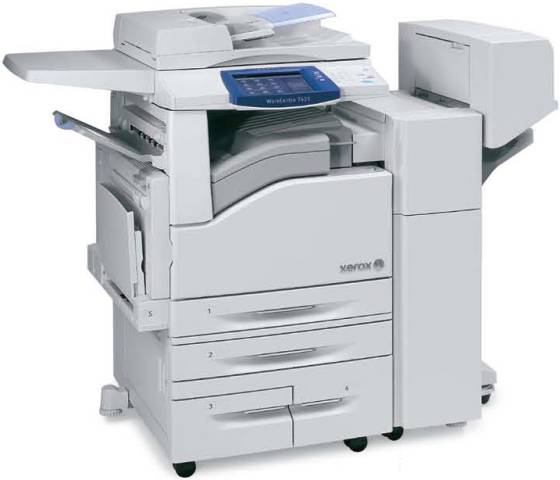
Xerox now shipping 4 new mid-range color MFPs, the WorkCentre 7425, 7428, 7435 offering: replaces the 7325, 7335, 7345 & 7346

- actually made by Fuji of Japan
- 4 tandem OPC drum design
- Polymerized toner, called Xerox Emulsion Aggregate (EA)
- 7425 offers 20ppm color and 25ppm b/w
- 7428 offers 28ppm b/w or color
- 7435 offers 35ppm b/w or color
- optional fax board (only 400dpi)
- first copy out time as fast as 5 seconds for b/w, 6.4 seconds for color
- Duty cycles of 60K/mo, 80K/mo & 105K/mo respectively
- Base MSRPs of $10,499, $11,599 & $13,499 respectively
- Scanning is OPTIONAL and does not come standard with print controller
- 75 sheet document feeder
- Maximum scan speed of 54opm
- 1200x1200dpi (interpolated to 2400dpi)(2/4 selectable bit depth)
- 600x600dpi when copying or scanning
- Built-in print controller offers 667MHz processor
- PCL & PS print drivers come standard
- 1.5GB RAM and only a 40GB hard drive
- Comes standard with bypass and only one paper drawer
- Up to 256gsm paper handling in bypass or drawers
- Up to 12”x18” paper in bypass
- Maximum paper capacity with options of 5,140 sheets
- Can replace drawer 1 with a 60 envelope feeder
- auto duplex standard
- Optional Bates stamping
- 30 second warmup time from sleep mode (longer if turned off)
- gloss mode
- Optional EIP for embedded applications
- Optional SD card reader (print from digital camera memory sticks)
- Optional scan to searchable PDF (OCR board)
- Optional USB port for scan/print from thumb drive
- Optional thumbnail preview for jobs on hard drive
- Optional EFI Fiery print server with 1.86GHz processor and 80GB hard drive
- Optional internal stapling finisher
- Optional external finisher with stapling, hole-punching & booklet making

-=Cheers=-

Saturday, October 24, 2009

Lexmark Celebrates 20th Anniversary


- Lexmark recently celebrated the 20th anniversary of the launch of their first desktop b/w laser printer. Here is a quick history:
- Lexmark was formed in 1991, when IBM sold off its imaging division to investors
- The name Lexmark came from the fact that IBM had a facility in Lexington, Kentucky that made devices that put marks on paper.
- Current Lexmark, CEO, Paul Curlander, was the product manager for
computer printers
- The division originally focused on making typewriters (Selectric, WheelWriter, etc.)
- In 1981, IBM launched the IBM PC and a dot matrix printer
- In 1969, Gary Starkweather invented first laser printer at Xerox PARC.
- In 1971, Xerox produced first laser printer.
- In 1976, IBM installed its first laser printer, the 3800, a huge floor model, at
F. W. Woolworth’s data center in Milwaukee, WI. Many of these high speed models are still in use today
- In 1984, Hewlett Packard launched the first Laserjet, which was a Canon-made
8ppm model, 300x300dpi, which weighed 75lbs.
- 1985, first IBM laser printer was a table top model, the 3812, selling for $7000 each, and was developed in Boulder, Colorado.
- In 1988, HP launched the first DeskJet inkjet printer.
- Paul Curlander and team of 100 in Lexington, KY were tasked with making small, lightweight, desktop model, which became the IBM 4019 featuring:
- First model able to print on envelopes
- First model to print pages in order
- First test print made at 5:09pm on 4/14/1987 by Harry Cooper
- On 5/6/1987, test unit was printing pages with text and pictures
- Approved for production by Marvin Mann, the first Lexmark CEO
- Original selling price of $2600.00
- Launch date of 10/10/1989
- Sold 100,000 in first year
- Won Product of the Year by PC Magazine
- Toner cartridges are still made and sold for the 4019
- On 10/24/1994, Lexmark launched the Optra series, its first non-IBM labeled printers

- Lexmark announced it signed a 4 year, multi-million dollar managed print services contract with Kingfisher, a global home improvement retail group. The deal includes install of new b/w and color laser MFPs/printers at 330 stores.

-=Cheers=-

Saturday, October 17, 2009

How much of your office copying/printing is in color?


Would like everyone's input on this, this poll is for end users of MFPs, MFDs, and other printing equipment for the office.

How much of your office copying/printing is in color?

Please click this link for the Poll:


How much of your office copying/printing is in color?

-=Cheers=-

CUSP and NSi Announce Strategic Partnership for On-Demand SaaS Solution


Rockville, MD— Tuesday May 12, 2008 – CUSP Point Software and Notable Solutions Partner to Provide Powerful and Unique Content Capture Integration in an On-Demand SaaS Solution

CUSP Point Software, the innovative Software-as-a-Service (SaaS) provider for on-demand electronic document management (EDM), and Notable Solutions, Inc (NSi), a market leader in distributed content capture and business automation, today announced a strategic partnership for the integration of AutoStore, NSi’s suite of products, with the CUSP PaperTrail solution to present a unique commercial offering.

This CUSP – NSi Partnership is significant for CUSP’s worldwide Value Added Reseller (VAR) Partners who may now access the full NSi suite of products via PaperTrail, and benefit from greatly reduced expenses in capturing, managing, and securely storing documents without any additional requirements for software, support or upgrades.

Some of the key benefits associated with this alliance include:

Open access for CUSP VAR Partners to NSi’s comprehensive suite of applications.
Documents can be captured from over 180 models of scanners, network-attached scanners, MFPs and copiers from all major manufacturers.
All software, support and ongoing upgrade costs of the NSi Capture technology are included in the CUSP Solution monthly charge.
The capture of information and documents from any paper or electronic source can be automatically routed directly to PaperTrail from the VAR Partner and/or end-user locations.
Using NSi’s SMARTicket application, documents can be pre-indexed prior to scanning by generating a cover sheet containing pertinent search information and routing instructions before automatic archiving once the scan is complete.
Documents that are scanned and routed to PaperTrail can also be routed and delivered to multiple locations such as email addresses, fax, etc.
To offer maximum flexibility, VAR Partners and their clients may choose either to install the full AutoStore andSMARTicket servers at their own location, or choose for those servers to be located within CUSP Data Centers.

“Establishing and Expanding our CUSP partnership is strategic to NSi as we launch an initiative to target the aggressively growing on-demand and hosted document management market,” Said Mehdi Tehranchi, CEO of NSi.
“We have created a tremendous product offering by combining CUSP on-demand EDM and NSi Data Stream Management Software, providing our existing channels a way to satisfy customer’s data management needs with on-demand capture application to boost productivity.”

“CUSP is extremely pleased and proud of the partnership formed with NSi to offer a new paradigm of software excellence in on-demand electronic document management”, commented CUSP CEO Seamus Brennan. “The CUSP – NSi partnership will bring to market a combined offering that features the leading Content Capture and Data Stream Management Software suite offered by NSi and the CUSP PaperTrail Software as a Service (SaaS) Solution that is setting a new standard of security, performance and scalability. In addition to securely accessing your entire document archive anytime and anywhere, you will now be able to securely send your business critical content directly to your PaperTrail repository from scanners, copiers and a host of other multifunction devices. It is a huge step forward for CUSP to be able to offer on-demand EDM solution within a SaaS commercial model.”

CUSP is demonstrating the PaperTrail solution at the PRISM (Professional Records & Information Services Management) annual conference from May 13th through 16th in Anchorage, Alaska.

About CUSP Point Software Ltd.

CUSP Point Software is a leading provider of electronic document management solutions. PaperTrail™ is CUSP’s first offering featuring unsurpassed levels of usability, security and scalability, featuring a highly intuitive, fully rebrandable and seamless end-to-end document management interface. PaperTrail is available through CUSP’s VAR partner program, which enables resellers to offer additional services to their customers and generate significant recurring revenue streams. CUSP is a privately owned company with global headquarters in Dublin, Ireland, US commercial headquarters in Chicago and regional offices in Colorado and Ohio.

For more information, please visit www.cusppoint.com

About Notable Solutions, Inc. (NSi)

What We Do : “We connect digital office devices to business applications. Our software captures paper and electronic documents, processes them and routes them into target systems.” For more information visit us at http://www.nsiautostore.com/

-=Cheers=-

Friday, October 16, 2009

Canon imageRUNNER ADVANCE C7000/C9000 Review


More information on the new Canon imageRUNNER ADVANCE C7000/C9000 series of color MFPs:

- the Canon Advanced imageCHIP system, which runs the MFP, actually consists of:
- Main board which works with the scanner to adjust image size, and process the image
- Accelerator board controls the user interface and controls network connectivity
- Riser board connects other two boards together
- 2GB RAM standard with 80GB hard drive
- When the device feels it needs more toner, it unlocks the door to expose the toner. If end user wants to change the toner, and door is not unlocked, end user must go into the control panel and search for an unlock mode in the Settings/Registration menu
- The new Canon pQ toner does not need fuser oil, and replaces the previous “S” toner and “V” toner used in other models
- The waste toner cartridge is replaced on by a service technician and not by customer
- Every 100 pages, the “Real Time Calibration” is activated to improve consistency of image quality
- Unlike other Canon models, these new models have a paper size sensor in the drawers
- Paper drawers, however, still have a push button that has to be activated in order to open drawers
- There are no screening or gloss optimization controls
- Back to front registration is rated at +/- 1.0 millimeter
- Standard generic print controller does not come with either PCL or PostScript print drivers, as these are expensive options. Also need to add 512MB RAM for PS driver.
- Other print controller options are EFI Fiery & MicroPress
- Maximum paper size is 13”x19”
- Can handle up to 300gsm
- Unit slows down when printing on thick media
- Maximum duplex paper weight is 220gsm (this is only 80lb. cover)
- Does not have paper decurling function
- No perfect bind option
- Optional booklet maker can only stitch up to 20 sheets of paper
- The capacity of the output tray is only 25 booklets
- If customer has installed the Professional Puncher, Paper Folding Unit or Paper Deck A1, Canon recommends that a space of 39.4” between back of unit and wall for technician access.

-=Cheers=-