Showing posts with label MFP Reviews. Show all posts

Tuesday, October 19, 2010

Sharp MX-B402 "Spec Review"


Sharp launched a new A4 b/w laser MFP, the MX-B402 featuring:

o Base MSRP of $4795
o 40ppm top speed
o Will replace the MX-B401
o 50 second warmup time and 8 second first copy out time
o Has 25% lower cost per page to the dealer
o 20,000 page yield for black toner (based on 5% coverage per page)
o 7” color touchscreen LCD display with thumbnail preview
o 600x600dpi
o Optional fax board with PC fax
o Handles up to 110lb. index paper weight
o Comes standard with 100 sheet stack bypass and one 500 sheet paper drawer, and can up to 3 more drawers to make unit floor standing
o Auto duplex & 50 sheet document feeder standard with 35opm scan speed
o Card shot standard
o Built-in print controller:
 Actual maker unknown (most likely Zoran)
 IPv6
 10/100/1000BaseT& USB ports in rear
 USB port in front for print from thumb drive
 Optional card readers
 800MHz processor from Freescale
 512MB RAM (separate 1GB RAM for copier features)
 80GB hard drive
• Optional hard drive data security kit
 PCL & PostScript print drivers standard
• Optional XPS print driver which requires purchase of 1GB RAM option
 imageSEND scans documents to 7 destinations
• USB/network/email
• Scans in color
 Internet fax
 OSA technology for optional embedded applications
o Optional internal 30 sheet stapling finisher

-=Greets from Sandy Hook=-

Friday, August 13, 2010

Xerox Phaser 6125 "What's the Total Cost of Operation"


In 31 years of selling laser printers to commercial accounts, well...I've pretty much seen it all. Over those years I've had many clients who did not purchase a laser printer from me, because they thought my printer was too expensive!

What peeves me the most is when I'm trying to communicate (help) the cost per page of a device or the total cost of ownership of the device. Many accounts will opt for the small inexpensive printers where the manufacturer states "with a maximum duty cycle of 40,000 pages per month" (Duty cycle: the maximum possible number of pages that can be printed per month) I ask you, what the heck does Duty Cycle really mean? Does it mean, I can print 40,000 pages each and every month on this device that only cost me $349 for the printer?

Let me show you what happens if you would print 40,000 pages per month on that device. The first printer device we'll look at is the Xerox Phaser 6125 (whoa, a Phaser, I'll need one of these to fight off the Romulans when Kirk and Spock pick me up later tonight).

I have this neat software package that can actually give the cost per page of most printers and multifunctional products and why shouldn't I. I'm the darn expert. Some software programs may vary in the price per page.

So, this really hot (phaser) Xerox Phaser 6125 sells for $349. While it has a neat print speed of 12 pages per minute for color and 18 pages per minute for black. The black toner cartridge cost for this device is $63.36 with a yield of 2,000 pages. Mind you that the 1,600 pages is based on probably 5% coverage of the page. There are three color cartridges, Cyan, and Yellow are $54.63 each and Magenta is $55.31 each. The estimated yield for the color cartridges is 1,000 pages based on 20% coverage.

Now, you may ask what is 20% color coverage of the page, pretty much if you condensed all of the color print area to one area, it means it can't cover more than 20% of the page. Take a trip here to see color page coverage examples

Back to the color cost per page (we're just gonna focus on the color cost per page), divide the cost of all four cartridges by the yield, and then add em up and you have a color cost per page of .1926. Ok, I gonna print me my  maximum volume of 40,000 pages, so, how much is that gonna cost me? It's gonna cost you $7,704 each and every month, and if you maintain that volume for 36 months, you'll be out a whopping $282,529! WHOA, NOW THAT'S A REALLY BIG NUMBER!

How about if you print all your docs with 40% coverage (go back to the page coverage link for an example). Get a load of this number, simple math it's twice the cost. $565,345 for the total cost of operation and that's about .39 cents per page. YIKES, THAT WILL ALMOST GET ME A RIDE INTO SPACE VIA THE RUSSIANS!

Wanna see more? At 100% coverage the Total Cost of Operation runs up to $1,413,217 and a cost per page for just under ONE DOLLAR. DAM, 1.4 MILLION DOLLARS THAT'S ENOUGH TO GET ME ON THE SPACE SHUTTLE FOR A WEEK!

Hey, I understand that most users don't print all their pages at 40%, and I understand (because I'm in the business) that this printer will might choke a few times before it prints 40,000 pages in one month, however how does the end user know this? There's no disclaimers, well maybe it can do 40,000 pages per month, but at 12 pages per minute that would take almost 55 hours to complete. Point is there should be some type of real measuring stick for these types of devices. Like there's no way on Earth or Romulus that this system will print 40,000 color pages per month every month and I don't like this "Print volume uniformly distributed over 30 days" it's in the fine print of the brochure!

In closing, if you're thinking about doing on 40,000 color pages per month, with 20% coverage on the page, opt for the SAVING MONEY, and call a Print4Pay Hotel member to save you some real cash. Here's a neat link (P4P Cafe) to get a quote on a Really Nice MFP so you can get that Really Expensive Ride to Romulus!!

-=Good Selling=-


Enhanced by Zemanta

Saturday, March 13, 2010

How to scan2word and scan2excel from Ricoh & NSI


Here's a really cool solution for NSI Autostore and Ricoh java enabled device that allows you to scan2word or scan2excel plus a few other excellent time saving workflows!


Tuesday, March 9, 2010

Buy a Multifunctional Copier Printer Scanner? The Time is NOW!

This thread was posted today by a Print4Pay Hotel member. If you're in the market for an Multifunctional Copier, Printer or Scanner, the time to buy or lease is NOW before prices increase again!!

I have noticed there have been a lot of changes in the Value of International Currency vs the USD.

Samsung a year ago was getting a huge currency advantage with the South Korean WON at 1453 vs $1.00. It has now fallen to 1125 as the USD continues to weaken.

The Canadian $1.00 is now slightly above the USD.

$1.00 USD has fallen from 98 Yen to 90 Yen over the last year.

Some MFP vendors will soon be forced to soon raise prices simply because of current unfavorable currency valuations. It is not uncommon for National Copier Manufacturers to strike a deal with their foreign HQ twice a year to fix currency rates for the next six months. That negotiation usually occurs around now with a weak USD and again in Sept.

Here's another:

The Chinese YUAN has only marginally changed in the last 12 months compared to the USD.

I have read on CNBC that this could be as much a result of Chinese Govt manipulating their currency on the world market to be undervalued to encourage exports.


Need a proposal or quote for a new Multifunctional Copier? Click this link and have P4P Specialists prepare a free proposal for you at no charge!

-=Cheers from Sandy Hook=-

Wednesday, December 30, 2009

HP LaserJet FP3520 "Spec Review"


Hewlett Packard launched the Color LaserJet FP3520 featuring:

- Desktop color laser printer made by Canon
- 30ppm b/w or color top speed
- Base MSRP of $699
- A4 model, up to letter/legal size only
- 4 tandem OPC drum design
- 600x600dpi actual (advertised as offering 3600dpi with interpolation)
- Built-in print controller
- 515MHz processor
- PCL and PostScript print drivers standard
- 512MB RAM standard (can upgrade to 1GB)
- 10/100/1000BaseT & USB ports
- Optional hard drive for spooling
- 250 sheet output tray
- Optional auto duplex $200
- Comes standard with single 250 sheet paper drawer and 100 sheet stack bypass
- Optional 500 sheet paper drawer
- Handles up to 58lb. bond glossy stock in bypass or 500 sheet drawer
- Black toner cartridge yield of 5,000 pages based on 5% coverage per page for $133.99
- Color toner cartridges have yield of 7,000 pages each based on 5% coverage per page
for $264.99 each
- 17 second first page out time after sleep mode

-=cheers=-

Sunday, December 27, 2009

Top Tips for Buying/Leasing a new Multifunctional Copier


Since the GIANTS are losing big time, I opted to put together a short blog on "Top Tips for buying or leasing a new multifunctional copier." Like em, love em or leave em, after 30 years in the biz I'm sure you'll find these helpful!

1. Find your local expert, he or she may have called you or sent a mailer.

2. Ask them how long have they been in their present position.

3. Ask then how long have they been with their present company.

4. Ask for local service and sales references for other firms similar to yours.

5. Visit their website, if it's old and out of date, so are they!!! To give an example I just visited a dealers web site and checked the current products, most of these products are discontinued, no dealer updates. Most likely they handle their service and support like they handle the web site!

6. Ask the salesperson about continuing education, do they take part?

7. Do a credit check on the company you are considering to do business with, you want to do business with a company that is financially fit! Need I say more!

These are all great tips, but what happens if you don't have the time to meet, it's your companies policy to focus on your core. How do you find the Quality Authorized Dealers, Direct Branches or Sales/Consultants that have the knowledge to improve the way you move, print, scan, copy and fax paper?

Take a trip here p4pcafe, I've put together 2,400 experts in the industry that will be able to consult for multifunctional hardware, software and third party solutions! These are the best of the best, I know because they're members of the Print4Pay Hotel which is the only Global web site dedicated to Imaging Industry Professionals. If you're in need of a system fill out our form and a P4P Hotel member will contact you within 24-48 hours!!

Monday, November 9, 2009

Muratec Knocks it out with MFX-4555 Launch


- Muratec is now shipping the new MFX-4555 A4 b/w MFP, featuring:
- actually made by Samsung of Korea
- Base MSRP of $5995 (MSRP is $1,000 more than the Samsung 6545N)
- 45ppm top speed
- 100 sheet document feeder (holds up to legal only)
- Can't print or copy 11”x17”
- Scans in color or b/w, even though output is only b/w (scans at 20opm in color)
- Scan to PC, email, FTP and USB thumb drives
- Touch screen 7” LCD control panel
- Built-in print controller with PCL and PostScript print drivers
- 500MHz processor
- USB and 10/100baseT ports
- 80GB hard drive
- 256MB RAM standard (512MB max with options)
- Comes standard with 520 sheet paper drawer and 100 sheet stack bypass
- Maximum paper capacity of 3,240 sheets with options
- Handles up to 32lb. bond paper weight in drawers, up to 58lb. in bypass
- Optional fax board
- Optional hanging stapling finisher
- 5 second first copy out time

Very nice unit for attorneys, mortgage, accounts and real estate. Click here for brochure.

-=Cheers=-

Tuesday, October 20, 2009

Fujitsu SnapScan fi-6010N "Spec Review"


Fujitsu now shipping the SnapScan fi-6010N desktop scanner featuring:

- large 8.4” color LCD touch screen (like a digital copier)
- scan to email
- scan to folder
- scan to network fax
- scan to FTP
- scan to network printer
- full 101 keyboard
- user can preview, zoom, pan and rotate scanned images
- open source integration capabilities for embedded solutions
- optional software developer kit (SDK)
- 25opm in b/w or color
- Duplex mode scans at 50ipm
- Auto rotate
- Blank page deletion
- Color detection
- Deskew and despeckle
- Page size detection
- Ultrasonic double feed detection
- 50 page document feeder that can handle embossed cards
- Base MSRP of $2999

-=Cheers=-

Friday, October 16, 2009

Canon imageRUNNER ADVANCE C7000/C9000 Review


More information on the new Canon imageRUNNER ADVANCE C7000/C9000 series of color MFPs:

- the Canon Advanced imageCHIP system, which runs the MFP, actually consists of:
- Main board which works with the scanner to adjust image size, and process the image
- Accelerator board controls the user interface and controls network connectivity
- Riser board connects other two boards together
- 2GB RAM standard with 80GB hard drive
- When the device feels it needs more toner, it unlocks the door to expose the toner. If end user wants to change the toner, and door is not unlocked, end user must go into the control panel and search for an unlock mode in the Settings/Registration menu
- The new Canon pQ toner does not need fuser oil, and replaces the previous “S” toner and “V” toner used in other models
- The waste toner cartridge is replaced on by a service technician and not by customer
- Every 100 pages, the “Real Time Calibration” is activated to improve consistency of image quality
- Unlike other Canon models, these new models have a paper size sensor in the drawers
- Paper drawers, however, still have a push button that has to be activated in order to open drawers
- There are no screening or gloss optimization controls
- Back to front registration is rated at +/- 1.0 millimeter
- Standard generic print controller does not come with either PCL or PostScript print drivers, as these are expensive options. Also need to add 512MB RAM for PS driver.
- Other print controller options are EFI Fiery & MicroPress
- Maximum paper size is 13”x19”
- Can handle up to 300gsm
- Unit slows down when printing on thick media
- Maximum duplex paper weight is 220gsm (this is only 80lb. cover)
- Does not have paper decurling function
- No perfect bind option
- Optional booklet maker can only stitch up to 20 sheets of paper
- The capacity of the output tray is only 25 booklets
- If customer has installed the Professional Puncher, Paper Folding Unit or Paper Deck A1, Canon recommends that a space of 39.4” between back of unit and wall for technician access.

-=Cheers=-

Samsung Poised for #1 "Launches SIX new Laser Devices"


Below is a recent alert I picked up on "g" alerts thus confirming that "Sammy" is hot and heavy to become the number #1 provider of printers and MFD devices in the world.

Canon captured high copier market share in the late eighties and early nineties with their personal copiers, Sammy started with low end printers and MFD's and is poised to take additional market share from their Japanese counterparts!.

Here's the alert; Samsung Electronics on October 15 unveiled two monochrome laser printers, the ML-1915and ML-2580N, and four monochrome laser MFPs (multi-function peripherals), the SCX-4600, SCX-4623F, SF-650 and SF-650P, for immediate launch in the Taiwan market, according to Samsung Electronics Taiwan.

The six models feature Samsung-developed AnyWeb and Print Screen Button technologies, Samsung Taiwan indicated.

In the Taiwan market, Samsung aims to compete with Hewlett-Packard (HP) to become the largest laser MFP vendor and to become the third largest vendor, next to HP and Seiko Epson, in laser printers, Samsung Taiwan pointed out.

Samsung: New monochrome laser printers/MFPs

ML-1915 (US$124)

ML-2580N

SCX-4600 (3 functions in one)

SCX-4623F (4 in one)

SF-650 (2 in one)

SF-650P (2 in one)

-=Cheers=-

Monday, October 12, 2009

Panasonic DP-MB350 "Quick Review"


New Panasonic A4 MFP (no 11x17).. List price is about $1,500. No word on CPC yet, but I bet it will be in the .012-.015 range.

▪ Digital Copier / Fax / Network Printer / Network Color Scanner
▪ 520 sheet paper drawer
▪ 50 page reversing document feeder
▪ Auto duplex
▪ Large 3.5" color display
▪ Readiris OCR software
▪ Recommended for an office with a low volume
▪ Toner yield 8,000 pages
▪ Drum yield 20,000 pages

Panasonic DP-MB350 is a low volume Business Class digital copier for a workgroup or small business. The DP-MB350 is recommended for a business or an office with a volume of up to 15,000 pages per month. This compact Multifunction copier offers network printing, network color scanning and a Super G3 Fax as a standard feature, which makes it the perfect solution for a low volume office.


-=Good Selling=-

Thursday, September 24, 2009

Kyocera FS-1128mfp Spec Review


- Kyocera now offering two new desktop A4 b/w laser MFPs.

Details:
- FS-1128mfp (base MSRP of $1371) and FS-1028mfp (base MSRP of $1020)
- Both are 30ppm
- FS-1128mfp comes with document feeder
- 1200x1200dpi
- 300 sheet paper capacity standard
- Auto duplex
- Can add two 250 sheet drawers
- PCL & PostScript print drivers
- 667MHz processor

With standard network printing, copy, color scanning and Fax functions, this highly efficient desktop letter/legal multifunctional printer is small, compact and quiet. The standard document processor feeds reliably and improves your productivity. Designed with ultra reliable ECOSYS technology the 30 ppm FS-1128MFP is a MFP that small business and workgroups can rely on everyday. And with its long life drum, toner and easy to replace toner container you will enjoy a low total cost of ownership compared to typical all in one models.

Note from Art:

Seems like a laser printer with a scanner added to the top and wallaa you have an MFP! Toner is rather high at .0122 based on 5% coverage, however the mainteance kit yield of 100K is awesome and .00175 is very good. Keep in mind that if your coverage is more than 5% your yield per toner and yield per maintenance kit come will come down and your cost will increase. 5% is not alot of coverage on the page. Something else to point out with all laser engines; if you do more one and two prints even though the coverage is 5%, the cartridges will not get the expected yields.

At 30ppm per minute, it's fast! The monthly volume rating of 20K per month is a joke! The system will duplex print because of the document feeder will not duplex copy a two sided original. Here's point that you need to keep in mind, the total cost of the unit is a little over $1,300 more or less. The Document feeder can hold 50 pages, document feeders are larger systems can run $1,000 or more, thus if you are planning on getting one of these and your need is to copy through the feeder alot, you can expect jams and maintenance with these type of document feeders.


-=Cheers=-

Saturday, September 19, 2009

Muratec MFX-1950 "Spec Review"


Muratec is now shipping the Muratec MFX-1950 featuring:

- A4 b/w laser MFP
- Base MSRP of $2295
- 20ppm top speed
- 80 sheet document feeder
- 600x600dpi
- 500 sheet paper drawer and 50 sheet stack bypass
- Can add second 500 sheet drawer for $330
- Up to 24lb. bond paper only
- print from local PC via USB via host based printing
- optional PCL print driver for $550
- optional 10/100BaseT port for $480
- fax board
- second fax line for $650
- TWAIN scan only
- Auto duplex
- Two line LCD display
- 16,000 page toner yield
- 20,000 page drum yield
- 23 second warmup time
- 12 second first copy out time
- Optional scan to email/SMB/FTP for $499

-=Cheers=-

Friday, September 11, 2009

Muratec MFX-3550 "Spec Review"


Muratec announced pricing for the new MFX-3550.

Details:- Desktop A4 monochrome MFP
- Actually made by Samsung of Korea
- Top speed of 35ppm
- Base MSRP of $1695 (expected street pricing of $799 to $999)
- 250 sheet second paper cassette for $295
- Toner/drum cartridge yield of 10,000 pages based on 5% coverage

OEM Samsung (Korea),Coding System MH/MR/MMR/JBIG,Modem Speed 33.6,TX speed 3 spp
Print Speed (PPM) 35,FCOT (seconds) 10, Quick Scan Speed - Paper Capacity 300
Max. Paper Capacity 550,Document Feeder (pgs) 50,One-touch dialing -
Speed dialing 200 ,Group Dialing Yes,Dual Lines No,Polling Yes,
Standard Copier Memory 128MB,Max. Copier Memory 384MB,Standard Fax Memory 4MB
Max. Fax Memory 4MB,Max Original 8.4 X 14",Max Output 8.4 X 14"
Document Mem. Back-up 72 hours,Broadcasting Yes,Dimensions 18" X 18.3" X 17.1"
Weight (in pounds) 41.45,Copier Standard,Fax Machine Standard,Internet Fax Standard
Network Fax Standard,PC Fax Standard,Network Printing Standard,PC Printing Standard
Network Scanning Standard,PC Scanner Standard,Network Interface Std. Ethernet
Interface Type 10/100 BaseT,Recording Method Laser,Cassette Paper Wt. 16-24 lb
Supported Bypass Media Letter, Legal, Lefger, Half-Letter, Executive, Monarch, COM # 10, Postcard, OHP,Duplex Printing Standard,Duplex Scanning No

Drum Yield Included in toner,DHCP Compliant Yes,Network Protocol TCP/IP,Max Compression JBIG,Address Book 200 Locations,Scan Resolution 4800 * 600 dpi
Grayscale 256 levels,Interface Standard USB/Ethernet,Scan to E-mail Standard
File Formats PDF, TIFF, JPEG,Scan to Folder Standard,TWAIN Compliant Yes
Scan Boxes(Local) -,Print Resolution 600 * 600 dpi
Page Description Language Standard PCL 5e & 6, PostScript 3
OS Support Windows 2000, XP, 2003, Vista, Mac OS 10.3, 10.4, Various Linux
Print Alignment Upper Left Corner
Duplex Print Speed 1-99
Warm-up Time 20 Seconds
Enlargement/Reduction 25-100% ADF, 25-400% FBS
Copy Resolution 600 X 600 dpi
Image Combination Standard-2-in-1, 4-in-1 & Card Copy
Electronic Sorting Standard
Flatbed Scanner 8.5" x 11"


-=Good Selling=-

Monday, August 31, 2009

New Xerox Document Centre models "In Review"


Fuji, maker of most Xerox MFPs, announced that it will launch a slew of new models that incorporate a new design and color them. Tentative details on the new Xerox Document Centre models:

- main body is still off-white plastic, but center of unit, including shell around keyboard and paper output area will be in dark blue, called the “3D Box” design
- large full color LCD, with large buttons and icons for functions
- entire LCD turns red when a problem occurs
- motion video on LCD to guide end user in paper jam removal
- access Internet from LCD
- will incorporate the new Xerox “ball with X on it” logo
- Models numbers now being used in Japan for new color MFPs are C2270, C3370, C4470 and C5570 :
- 22ppm, 33ppm, 44ppm and 55ppm top speeds respectively
- All use LED printhead instead of Laser
- 4 tandem OPC drum design
- Emulsion Aggregate (EA) polymerized toner
- some models have built-in LCD, others have LCD on armature to left side
- All have “hole in the middle” design
- Advertised as offering 1200x2400 dpi (actual is 600x600dpi for top speed, and then 1200x1200dpi in half speed mode)
- only 600x600dpi in copy mode
- Does NOT offer true 8 bits per pixel image quality
- Built-in print controller
- PCL & PostScript print drivers
- 1.5GB RAM
- 40GB hard drive
- USB and 10/100/1000BaseT ports
- USB port is located on front control panel for easy access for end user to print from thumb drive, or scan to thumb drive
- Optional fax board
- Fuser uses induction heating instead of fuser heat lamps
- auto duplex standard
- Comes standard with two paper drawers
- User can add two more paper drawers, and/or side mount LCT (letter size only)
- paper path is up the left side of the unit, and output to the right
- maximum paper size of 12”x18” from bypass
- Up to 256gsm from paper drawers, and up to 280gsm from bypass
- Document feeder holds up to 100 originals and scans up to 70opm
- Finishing options include:
- internal stapling finisher
- side-mounted stapling finisher
- hole punch
- booklet making with tractor feed output

-=Good Selling=-

Monday, August 24, 2009

Panasonic KX-MB3020 "Spec Review"


Panasonic is launching a new desktop A4 b/w laser MFP, the KX-MB3020 offering:

- base MSRP of $499 (this is now the lowest priced device in its class)
- 35ppm top speed
- Copy/scan/print/fax
- Scans in color and b/w
- Auto duplex standard
- 520 sheet paper cassette
- Document feeder
- No info released on cost per page
- weighs only 21lbs.

Notes from Art:

At 21lbs. you can be sure that this unit will not last! How long? That's a great question! It is sticker shock to see a system of this speed resell for $499. But can it really handle an average volume of 5,000 pages per month for three years? Me thinks, NOT!, but don't take my word for it go out and get one and see if you spent your $500 wisely. Really, at $499 if the thing broke after 13 months would you pay to have it repaired at $150 per hour? Again, ME THINKS NOT, don't let the cheap price fool you, there's and old saying that the thought of a cheap price is long forgotten after poor performance!..

-=Good Selling=-

Thursday, July 23, 2009

SHARP FO-2080 Targeted for SMB Environments


SHARP INTRODUCES NEW MULTIFUNCTIONAL DOCUMENT COMMUNICATION SYSTEM

FO-2080 provides full MFP feature set making it a versatile solution for SMB environments.


MAHWAH, N.J., July 23, 2009 – Sharp Imaging and Information Company of America (SIICA), a division of Sharp Electronics Corporation, today introduced the FO-2080, a digital document communication system that packs Sharp’s multi-functional capabilities into a compact footprint for the SMB market. The versatile FO-2080 combines high speed Super G3 fax functionality with high-quality digital copying, network printing, and direct-to-PC color scanning in an easy-to-use machine that is easily accessible to anyone in the workgroup.

Providing an enhanced level of user-friendliness, the FO-2080 provides auto switching between dual paper trays as a standard feature, eliminating the need to manually switch between legal and letter sized paper for incoming faxes. With an overall maximum capacity of 550 sheets, the two standard 250-sheet paper trays simultaneously accommodate different paper sizes such as letter or legal, along with a 50-sheet bypass tray that can handle heavy paper, labels, transparencies, and envelopes, to keep workflow moving seamlessly. The FO-2080 also delivers features such as 2-sided printing, copying and scanning, as well as E-Sort and Offset Stacking, making tasks such as collating, separating, and sorting absolutely effortless.

“The FO-2080 is a highly functional office document solution that puts the capabilities of multiple machines in the footprint of an average fax machine,” said Andre Pimentel, Associate Product Manager, A4 Multifunction Printers, Sharp Imaging and Information Company of America. “This is a product that can help enable office administrators to greatly resolve and streamline workflow issues and reduce cost of operation in a number of ways.”

The FO-2080 provides 20 PPM standard copying and printing, as well as network and USB printing. End-users who need a scanning solution can use the FO-2080 for direct-to-PC color scanning. Taking the scanning features to the next level, the FO-2080 provides Sharpdesk, Sharp’s innovative document management software, which integrates business documents into one place for easy organizing, editing, sharing, and archiving. Also provided is Button Manager, Sharp’s built-in utility which offers a simple one-touch solution that enables the user to send scanned files to multiple destinations, including Scan to Email, Scan to File, and even Scan to OCR (Optical Character Recognition).

The Sharp FO-2080 is now available exclusively to the Sharp BTA Dealer Network and Sharp Certified Channel Reseller distributors. For more information about the complete line of Sharp document solution products, contact Sharp Imaging and Information Company of America, Sharp Plaza, Mahwah, N.J. 07495-1163, or call 800-BE-SHARP. For online product information, visit Sharp’s Web site at sharpusa.com or sharpusa.com/documents.

-=Good Selling=-

Tuesday, July 21, 2009

Xerox WorkCentre 5225 & 5230 Spec Review


Xerox launched two new A3 b/w laser MFPs, the WorkCentre 5225 & 5230 series featuring:

- 25ppm and 30ppm top speeds respectively
- Base MSRPs start at $7999.00
- Made by Fuji Film of Japan
- 256MB RAM standard (can upgrade to 768MB)
- 75,000 per month maximum duty cycle
- Auto duplex standard
- 75 sheet document feeder standard can scan up to 55opm
- Two 500 sheet paper drawers standard
- 100 sheet stack bypass standard
- Options can add 4,000 sheets to paper supply
- Optional envelope tray holds up to 65 number 10 envelopes
- 4.3 second first copy out time
- Optional finishers offer hole-punch, staple and booklet making
- 1200x1200dpi
- Optional fax board
- Optional print controller offers:
- actual maker unknown
- Scan to email, mailbox, SMB
- Optional scan to searchable PDF
- Color scanning
- 10/100BaseT & USB ports (does not offer 1000BaseT)
- 333MHz processor
- PCL print driver standard
- Optional PostScript print driver
- Extensible Interface Platform (EIB) provides ability for embedded software
- 40GB hard drive

Tuesday, June 23, 2009

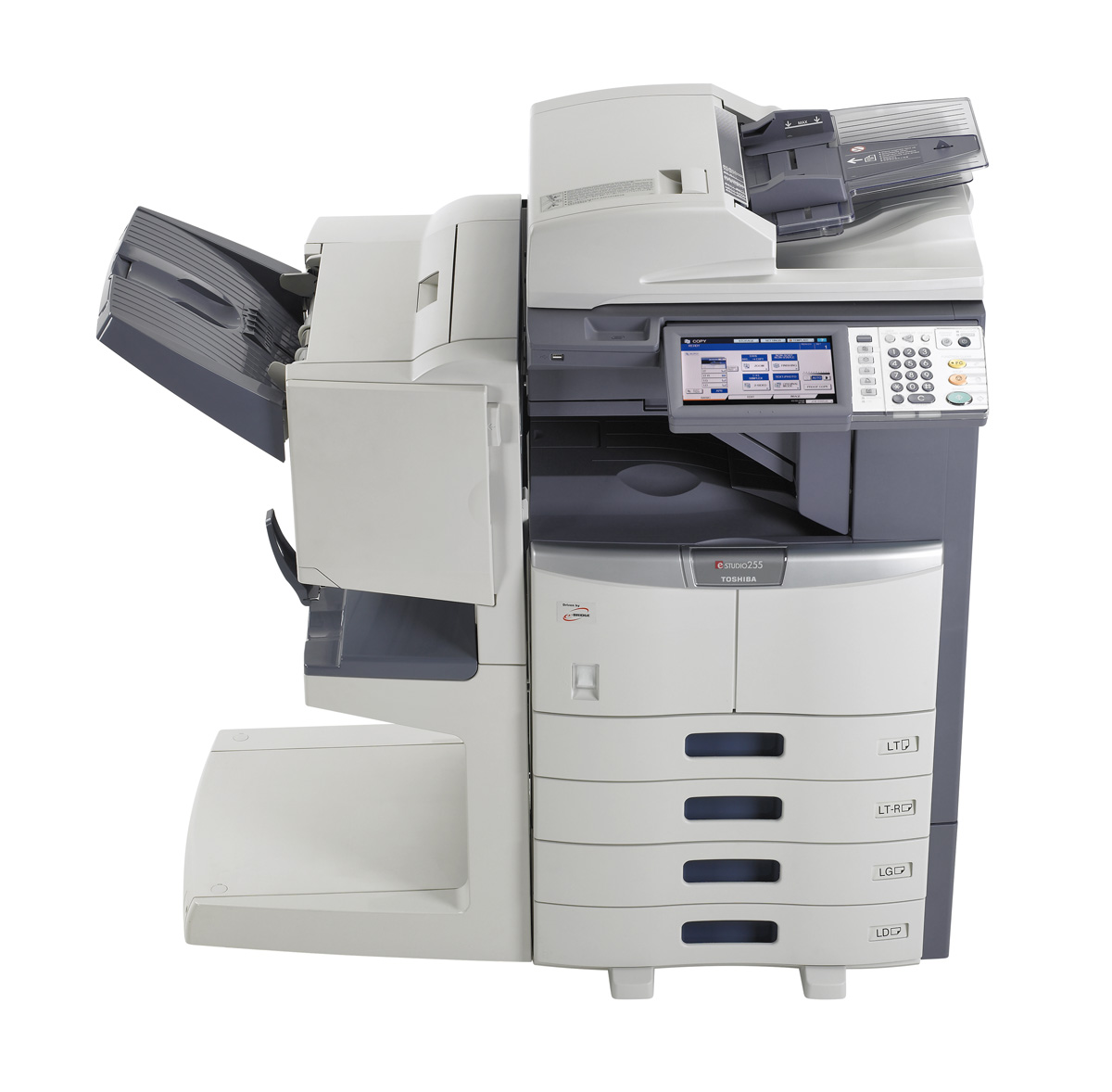
Toshiba eSTUDIO 205L, 255, 305 series Review

Toshiba announced a number of new A3 b/w MFPs:

- eSTUDIO 205L, 255, 305 series:
- 20ppm, 25ppm & 30ppm
- Base MSRPs of $5095, $6650 & $8,050
- Maximum monthly duty cycles of 80K, 100K & 120K
- Base MSRPs fo $8625 & $10,799
- 8.5” full color touch screen LCD control panel
- Optional fax board
- 600x600dpi (advertised as offering 2400dpi with interpolation)
- 20 second warmup time
- 4.7 second first copy out time
- 30,000 page toner yield based on 5% coverage
- USB direct scan and print
- Auto duplex
- Scans in color and b/w
- Two 550 sheet paper drawers standard hold up to 28lb. bond only
- 100 sheet stack bypass standard (up to 110lb. index)
- 3,200 sheet maximum paper capacity with options
- Optional document feeder that handles 100 originals and scans up to 57ipm
- Optional Smart Card reader
- Print/scan controller standard
- 1GB RAM & 60GB hard drive
- 10/100BaseT & USB ports
- PCL, XPS & PostScript print drivers standard
- eBRIDGE technology allowing embedded applications into control panel
- Optional embedded software allows for scan to MS Word, MS Excel and searchable PDF
- Optional finishers offer hole-punch, stapling and booklet making
- eSTUDIO 355, 455 series:
- 35ppm $ 45ppm
- Maximum monthly duty cycles of 125K & 150K
- Base MSRPs fo $8625 & $10,799
- 8.5” full color touch screen LCD control panel
- Optional fax board
- 600x600dpi (advertised as offering 2400dpi with interpolation)
- 20 second warmup time
- 3.7 second first copy out time
- 30,000 page toner yield based on 5% coverage
- USB direct scan and print
- Auto duplex
- Scans in color and b/w
- Two 550 sheet paper drawers standard hold up to 28lb. bond only
- 100 sheet stack bypass standard (up to 110lb. index)
- 3,200 sheet maximum paper capacity with options
- Optional document feeder that handles 100 originals and scans up to 57ipm
- Optional Smart Card reader
- Print/scan controller standard
- 1GB RAM & 60GB hard drive
- PCL, XPS & PostScript print drivers standard
- eBRIDGE technology allowing embedded applications into control panel
- Optional embedded software allows for scan to MS Word, MS Excel and searchable PDF
- Optional finishers offer hole-punch, stapling and booklet making

Art Post